

Two easy to use methods
How ChatGPT Chat Transfer Tool Works
Learn how to transfer your ChatGPT conversations to Claude and Gemini in just a few simple steps.
Our ChatGPT Chat Transfer Tool is designed to make chat migration fast and simple. You can transfer ChatGPT conversations easily by connecting your account or use the optional file upload method if needed.
Method 1
Direct Transfer
The easiest way to move ChatGPT conversations. No file download or upload required at any point.
1
Step 1
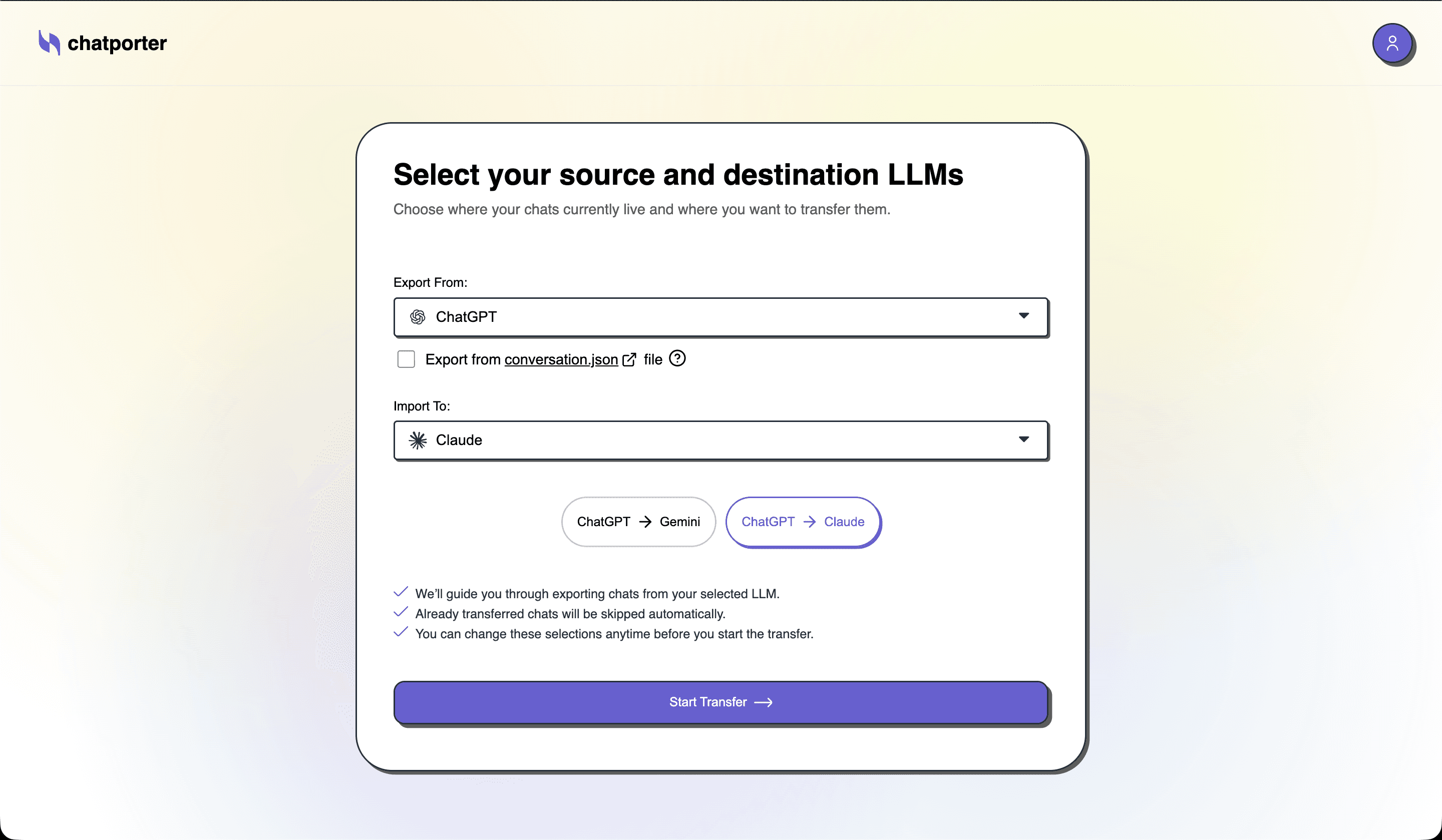
Choose Destination Platform
Select where you want to send your chats — Claude or Gemini. Both are fully supported with clean formatting and preserved conversation context.
You can transfer to both platforms separately if needed.
2
Step 2
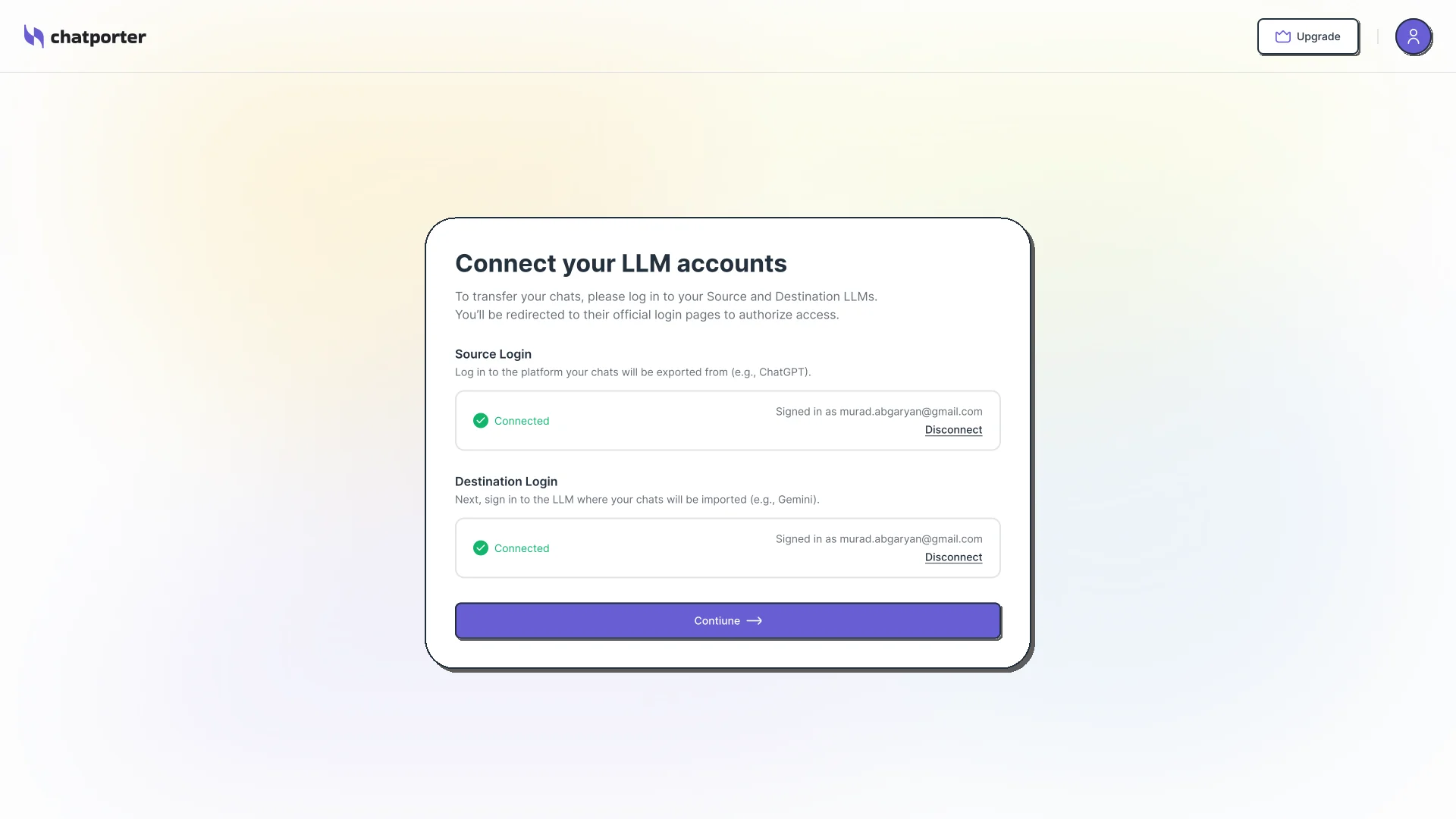
Connect your Source platform account
Securely authorize your ChatGPT/Gemini account with the transfer tool. Then connect your destination — Claude or Gemini — so the tool knows where to send your chats.
All processing is done locally, and connection information is stored securely, just like a browser.
3
Step 3
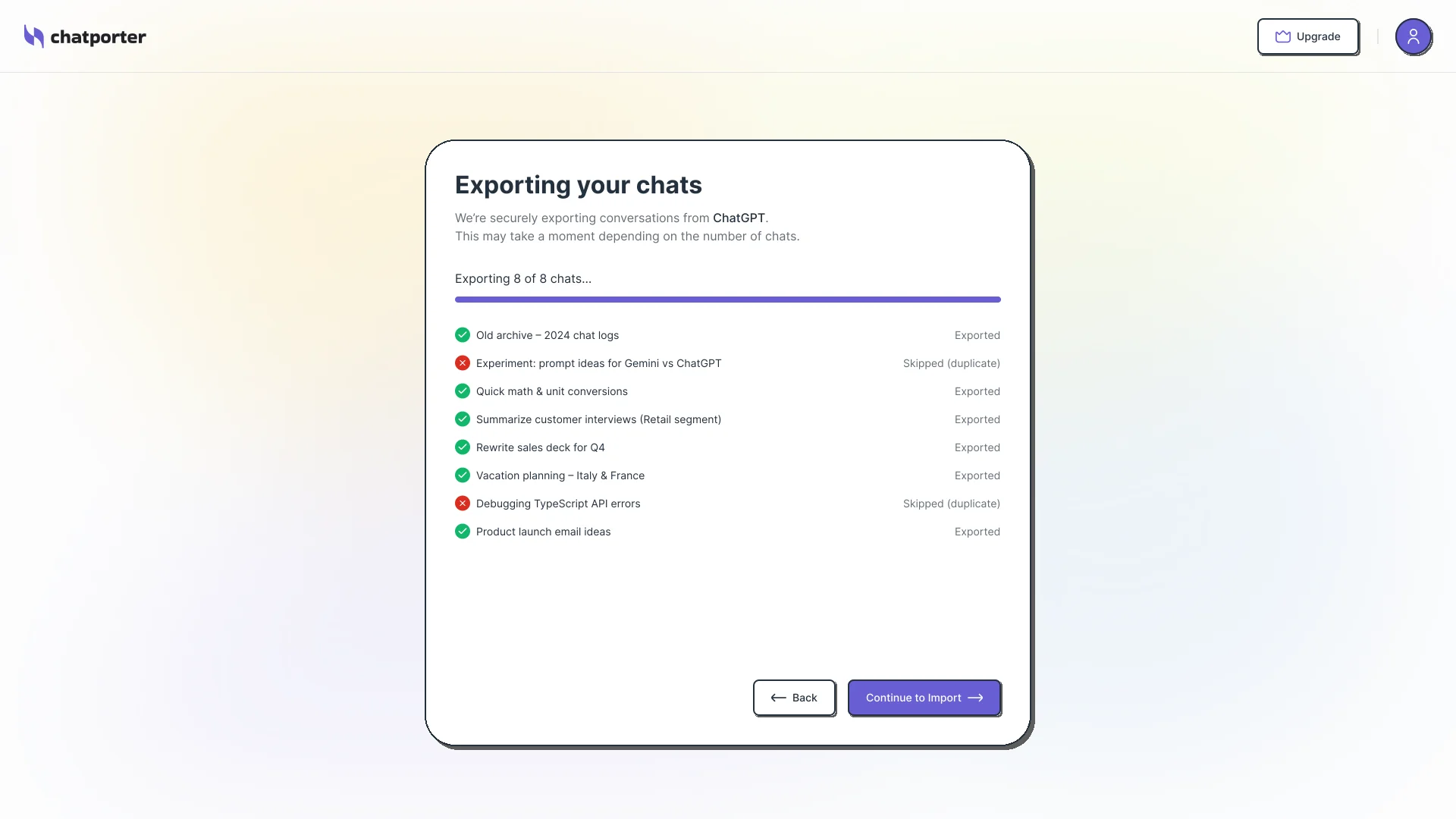
Export your Chats
Choose the chats you want to transfer. Pick specific conversations one by one, or select all at once to move your entire history. Duplicates are detected and skipped automatically.
4
Step 4
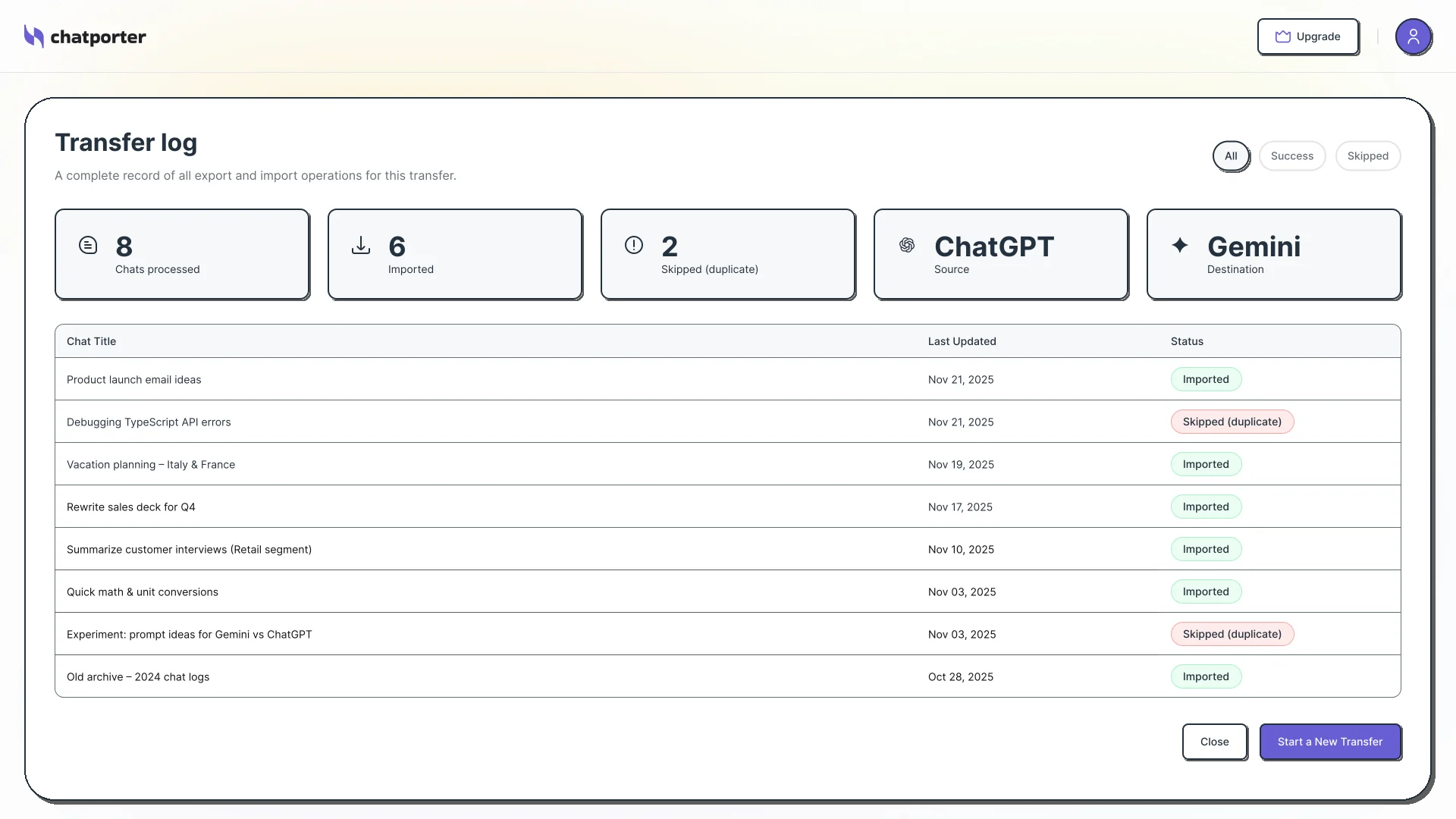
Import and view results
After the import of your chats is complete, see the results overview of your exported conversations.
Method 1
Direct Transfer
The easiest way to move ChatGPT conversations. No file download or upload required at any point.
1
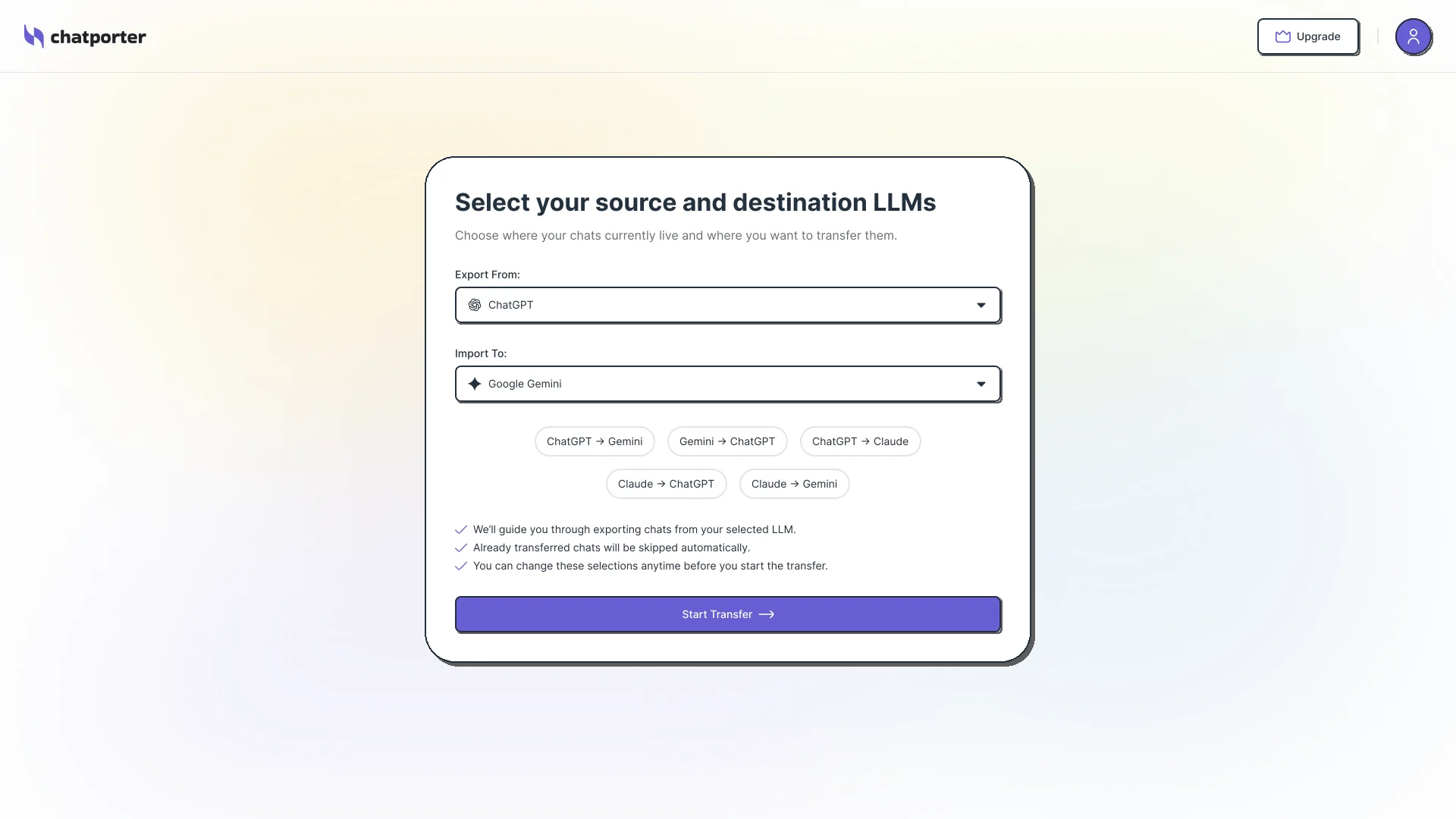
Step 1
Choose Destination Platform
Select where you want to send your chats — Claude or Gemini. Both are fully supported with clean formatting and preserved conversation context.
You can transfer to both platforms separately if needed.
2
Step 2
Connect your Source platform account
Securely authorize your ChatGPT/Gemini account with the transfer tool. Then connect your destination — Claude or Gemini — so the tool knows where to send your chats.
All processing is done locally, and connection information is stored securely, just like a browser.
3
Step 3
Export your Chats
Choose the chats you want to transfer. Pick specific conversations one by one, or select all at once to move your entire history. Duplicates are detected and skipped automatically.
4
Step 4
Import and view results
After the import of your chats is complete, see the results overview of your exported conversations.
Method 1
Direct Transfer
The easiest way to move ChatGPT conversations. No file download or upload required at any point.
1
Step 1
Choose Destination Platform
Select where you want to send your chats — Claude or Gemini. Both are fully supported with clean formatting and preserved conversation context.
You can transfer to both platforms separately if needed.
2
Step 2
Connect your Source platform account
Securely authorize your ChatGPT/Gemini account with the transfer tool. Then connect your destination — Claude or Gemini — so the tool knows where to send your chats.
All processing is done locally, and connection information is stored securely, just like a browser.
3
Step 3
Export your Chats
Choose the chats you want to transfer. Pick specific conversations one by one, or select all at once to move your entire history. Duplicates are detected and skipped automatically.
4
Step 4
Import and view results
After the import of your chats is complete, see the results overview of your exported conversations.
Under the Hood
What happens during the transfer
The tool securely processes your data so every message, response, and structure is preserved and ready to use on the new platform.
Every message preserved
All messages — both your prompts and the AI responses — are transferred completely, in the correct order.
Every message preserved
All messages — both your prompts and the AI responses — are transferred completely, in the correct order.
Secure at every step
Data is handled securely throughout the process and is never stored on our servers. All the processing is done locally.
Secure at every step
Data is handled securely throughout the process and is never stored on our servers. All the processing is done locally.
Structure stays intact
Formatting, conversation flow, and message context are all maintained. Your chats look the same on the new platform.
Structure stays intact
Formatting, conversation flow, and message context are all maintained. Your chats look the same on the new platform.
Progress tracked live
Watch the transfer happen in real time. After completion, a results overview shows the status of every conversation.
Progress tracked live
Watch the transfer happen in real time. After completion, a results overview shows the status of every conversation.
Supported Platforms
Works with Leading AI Tools
ChatGPT
Export or connect your account to move ChatGPT conversations easily.
Claude
Transfer ChatGPT to Claude with proper formatting and continue your workflow.
Gemini
Complete your ChatGPT to Gemini or Gemini to Claude transfer with clean structure and no manual adjustments.
We continuously improve this AI chat transfer tool to support more platforms.
Supported Platforms
Works with Leading AI Tools
ChatGPT
Export or connect your account to move ChatGPT conversations easily.
Claude
Transfer ChatGPT to Claude with proper formatting and continue your workflow.
Gemini
Complete your ChatGPT to Gemini or Gemini to Claude transfer with clean structure and no manual adjustments.
We continuously improve this AI chat transfer tool to support more platforms.
Supported Platforms
Works with Leading AI Tools
ChatGPT
Export or connect your account to move ChatGPT conversations easily.
Claude
Transfer ChatGPT to Claude with proper formatting and continue your workflow.
Gemini
Complete your ChatGPT to Gemini or Gemini to Claude transfer with clean structure and no manual adjustments.
We continuously improve this AI chat transfer tool to support more platforms.
Get Now!
Start Your Chat Transfer Now
Don’t lose your conversations when switching platforms.
Move your conversations across AI tools without losing anything important.
Save time, avoid manual work, and enjoy a smooth experience with this powerful AI chat transfer tool.
Limited Welcome Offer! 50% OFF your purchase
Use code
at checkout!
Get Now!
Start Your Chat Transfer Now
Don’t lose your conversations when switching platforms.
Move your conversations across AI tools without losing anything important.
Save time, avoid manual work, and enjoy a smooth experience with this powerful AI chat transfer tool.
Limited Welcome Offer! 50% OFF your purchase
Use code
at checkout!
Get Now!
Start Your Chat Transfer Now
Don’t lose your conversations when switching platforms.
Move your conversations across AI tools without losing anything important.
Save time, avoid manual work, and enjoy a smooth experience with this powerful AI chat transfer tool.
Limited Welcome Offer! 50% OFF your purchase
Use code
at checkout!